Hi Roper 👋
Hope you're doing well! I need your help to create a new Telegram Bot for our OpenClaw test. Below is the step-by-step guide, it only takes 2 minutes to complete:
📱 Step 1: Open @BotFather in Telegram
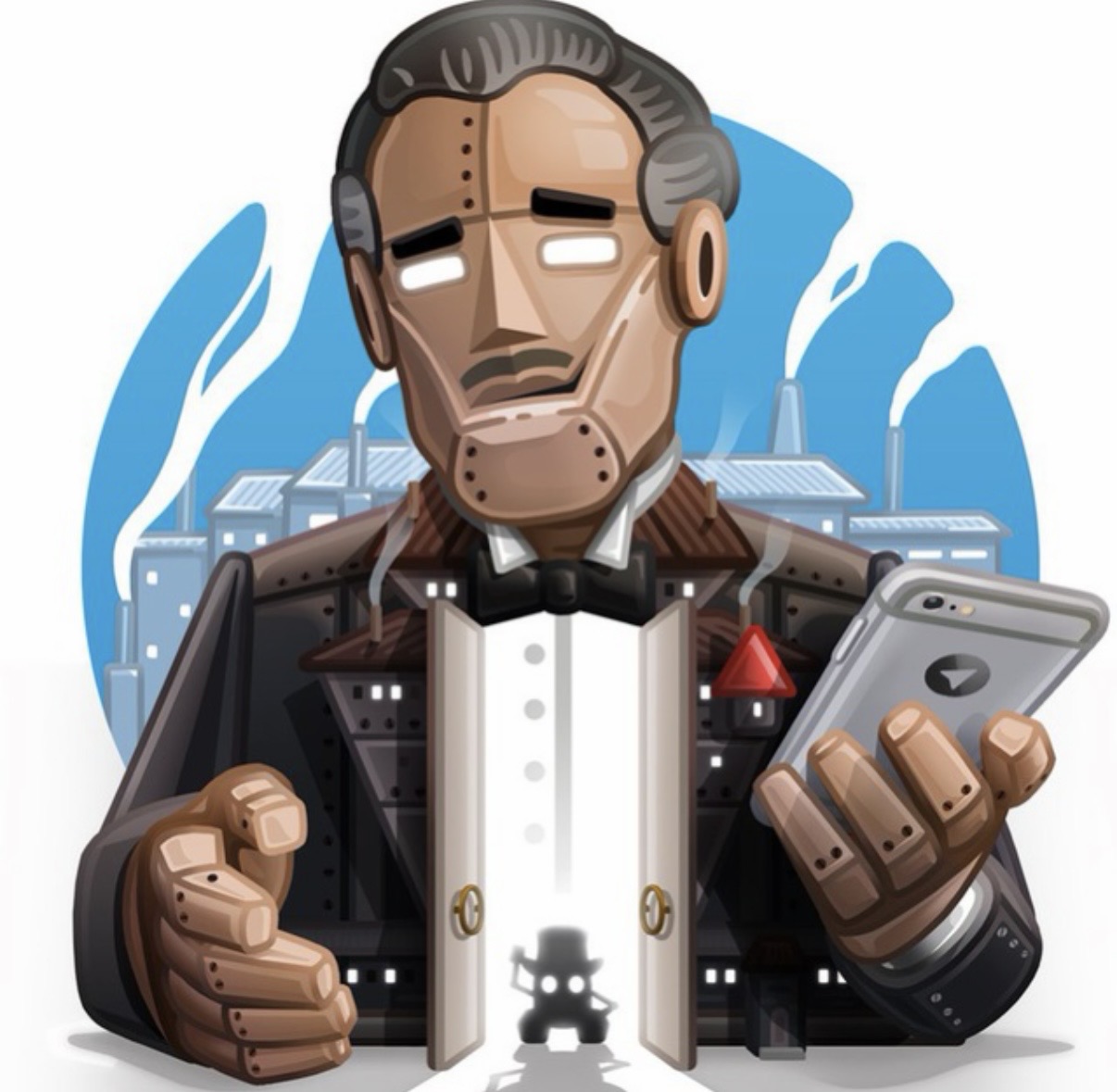
Search for @BotFather in Telegram (this is the official bot management tool from Telegram). The official BotFather has a brown/gold robot butler avatar and a verified badge.
⚠️ Make sure it's the official one: Username must be exactly @BotFather (no numbers, no extra characters). The avatar is a brown metallic robot butler with a blue background.
This is what the real BotFather looks like:
⚙️ Step 2: Create a New Bot
Send the command /newbot to @BotFather, then follow its prompts:
- Enter a display name for your bot (can be any name you like, e.g. "Roper Assistant Bot")
- Enter a username for your bot, it must end with "bot" (e.g. "RoperTestClaw_bot")
🔑 Step 3: Get Your Bot Token and Send it to Me
After the bot is created successfully, @BotFather will send you a message containing your HTTP API Token.
✅ What you need to do: Copy this entire Token string and send it to me (Kai). I will configure the bot on my side and let you know when it's ready for testing.
The token format looks like this:
💬 Step 4: Send Your First Test Message
⏳ After I receive your token and finish the configuration (about 5 minutes), I will notify you.
Once I let you know it's ready, search for the username of your bot in Telegram and send any message to it (e.g. "hello").
🔐 Step 5: Pairing Authorization (Important!)
When you send your first message, the bot will reply with a Pairing Code. This is OpenClaw's security feature to authorize who can use the bot.
📋 The bot will send you something like this:
✅ What you need to do:
- Copy the Pairing Code (e.g.,
EKRDHSZ8) from the bot's message - Send it to me via WeChat or any other channel
- Wait for my approval - I'll run the command on the server (takes ~30 seconds)
- Try sending another message - the bot should respond normally now!
⚠️ Note: This pairing authorization is needed only once per user. After I approve your pairing code, you can use the bot freely without needing approval again.
What I'll do on my side:
⚠️ Security Notes:
- Do not share your Bot Token with anyone else, it has full access to your bot.
- If you accidentally leak the Token later, you can send
/revoketo @BotFather to generate a new one. - The Pairing Code is temporary and only used for initial authorization.
📌 Complete Workflow Summary:
- You create the bot and get the Token → Send Token to me
- I configure OpenClaw with your Token (takes ~5 minutes)
- I notify you when it's ready
- You send your first message to the bot
- Bot replies with a Pairing Code → Send the code to me
- I approve the pairing (takes ~30 seconds)
- You can start using the bot normally! 🎉
Let me know if you run into any issues during the process. Thanks for your help!
Best regards,
Kai